


Why you can trust Tom’s Hardware
Our expert reviewers spend hours testing and comparing products and services so you can choose the best for you. Find out more about how we test.
If you know anything about me, you know I love a mouse with 19+ buttons. That’s why I’ve been using Razer’s Naga V2 Pro as my daily driver for the past three and a half years — and I have no regrets; it’s on our list of best gaming mice for a reason. Thankfully, Razer must’ve heard my V2 Pro begging for its life, because there’s a new multi-button MMO mouse in town with up to 23 programmable buttons: the Razer Naga V3 Pro.
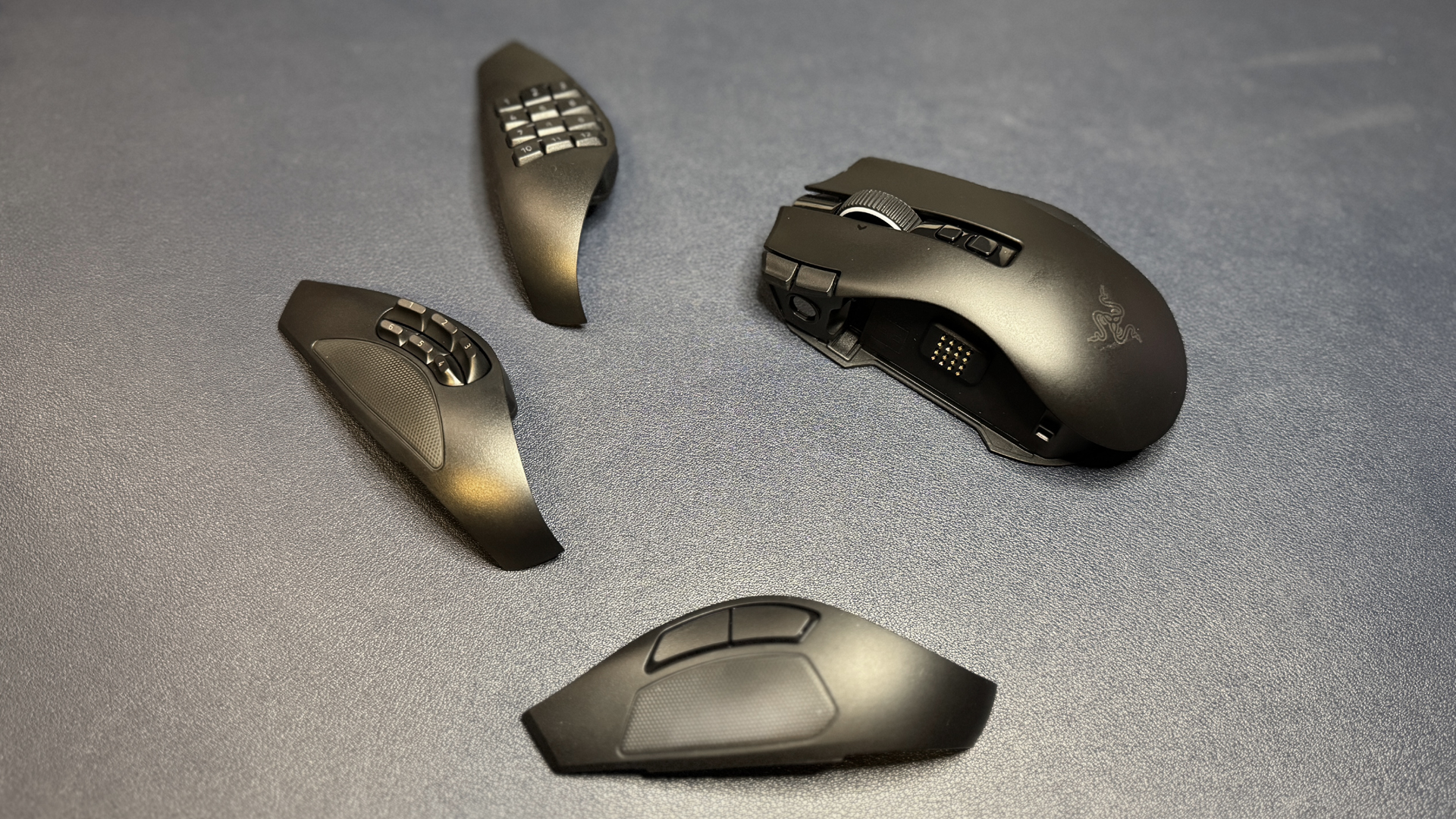
The Naga V3 Pro is very similar to its predecessor at a glance — because Razer hasn’t changed the mouse’s form factor at all. It still comes with three swappable magnetic side plates (in 2-, 6- and 12-button layouts), but that’s where the similarities end. The new Naga V3 Pro sports Razer’s latest Focus Pro 50K gen-3 optical sensor, which has a maximum sensitivity of 50,000 DPI and a maximum speed of 930 IPS, and can handle up to 90 G’s of force. It’s not cheap, as the Naga lineup never has been, with an MSRP of $180 — pricier than most premium flagship gaming mice because it is, after all, all about versatility.
Design and Comfort
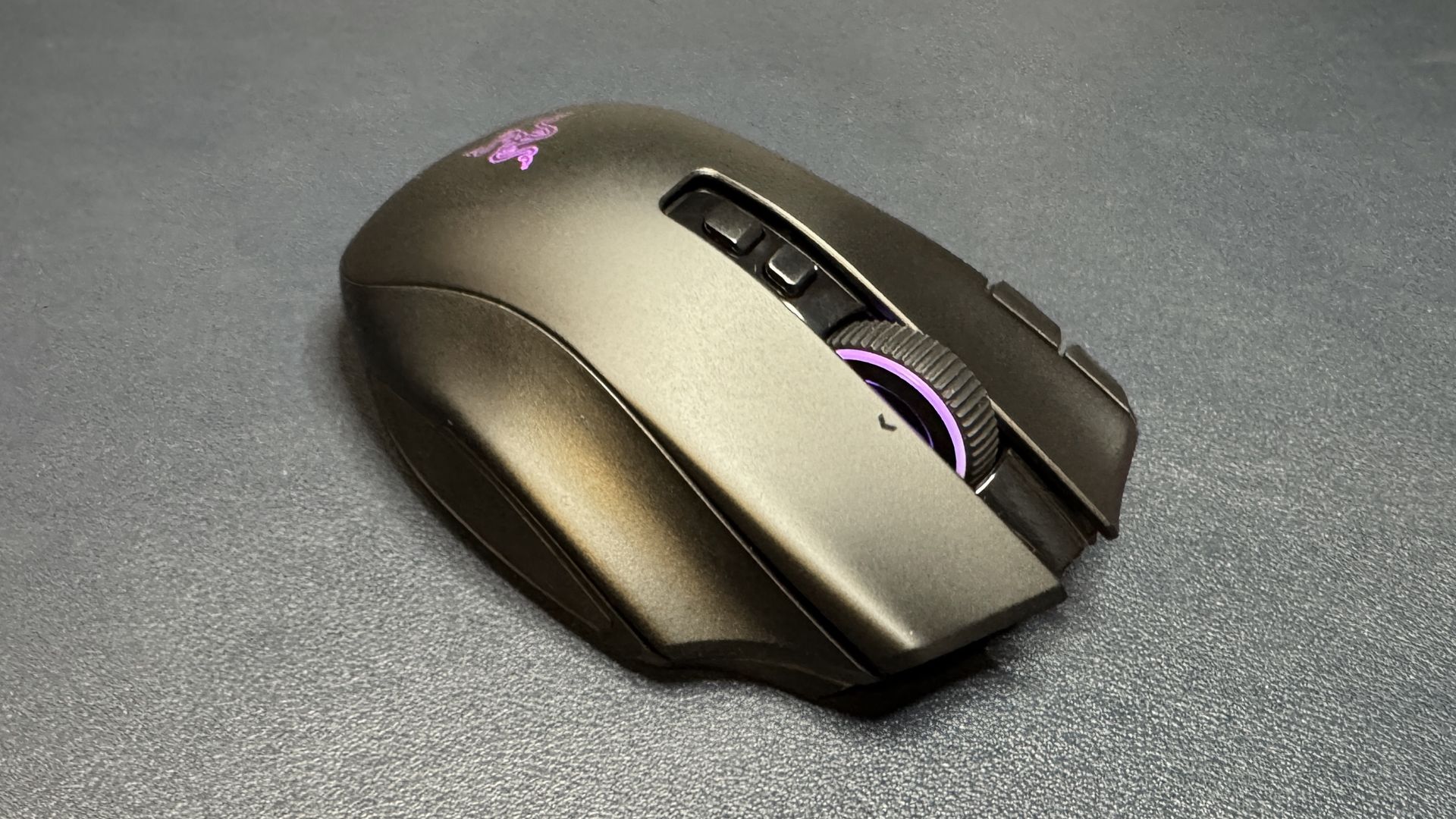
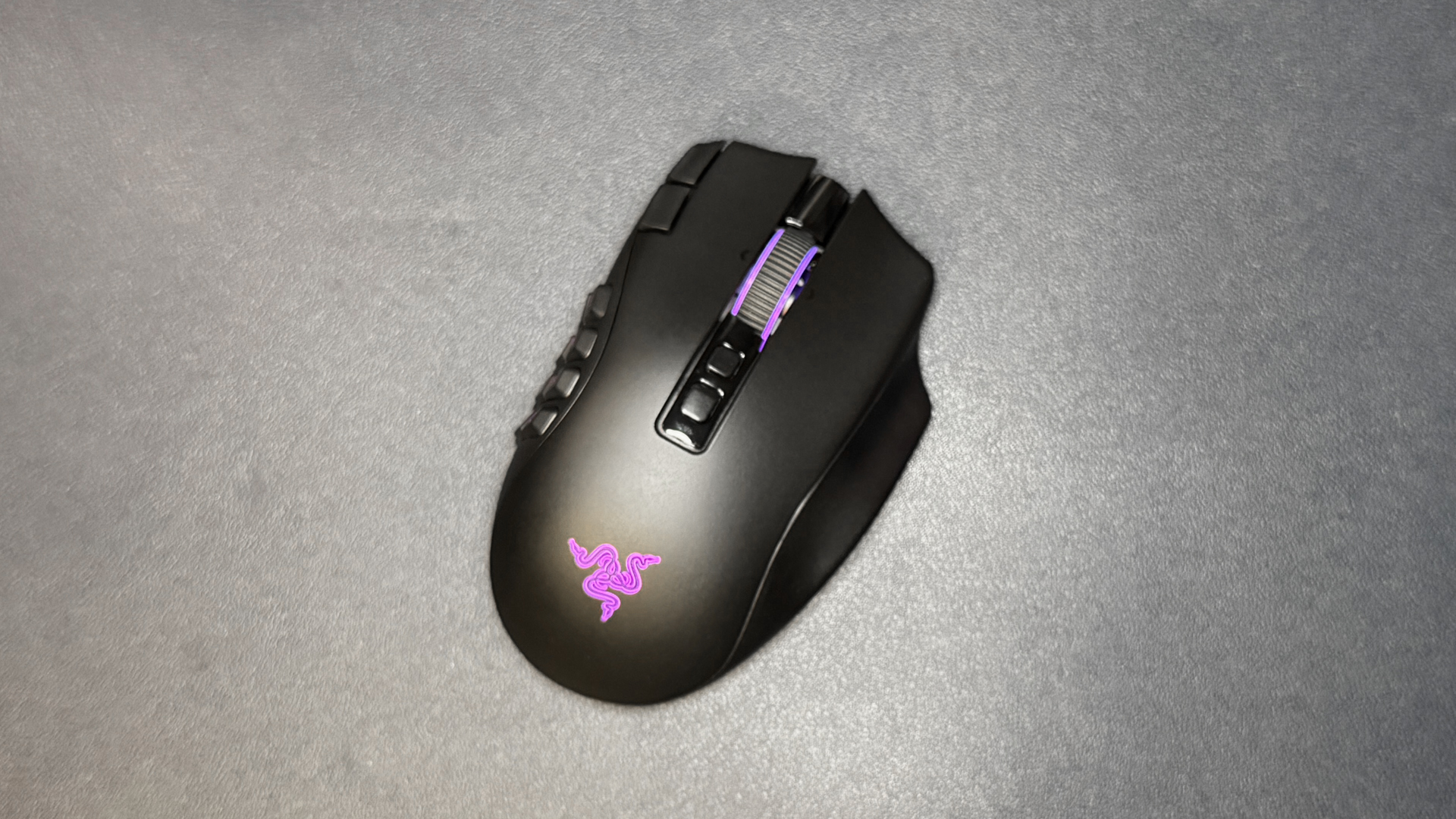
Like some of Razer’s other new mice, the Naga V3 Pro has the exact same shape as its predecessor — it’s a shorter, wider mouse than most flagship premium mice, measuring 4.7 x 2.97 x 1.72 inches (119.5 x 75.5 x 43.5mm). It’s still a larger mouse overall, just a different shape. It has a right-handed ergonomic shape with a contoured thumb area, with interchangeable plates and a curved ring finger rest on the right side. It has a matte black plastic shell and features three RGB light zones in the scroll wheel, the logo on the palm rest, and on the side panel.
Latest Videos FromTom’s Hardware
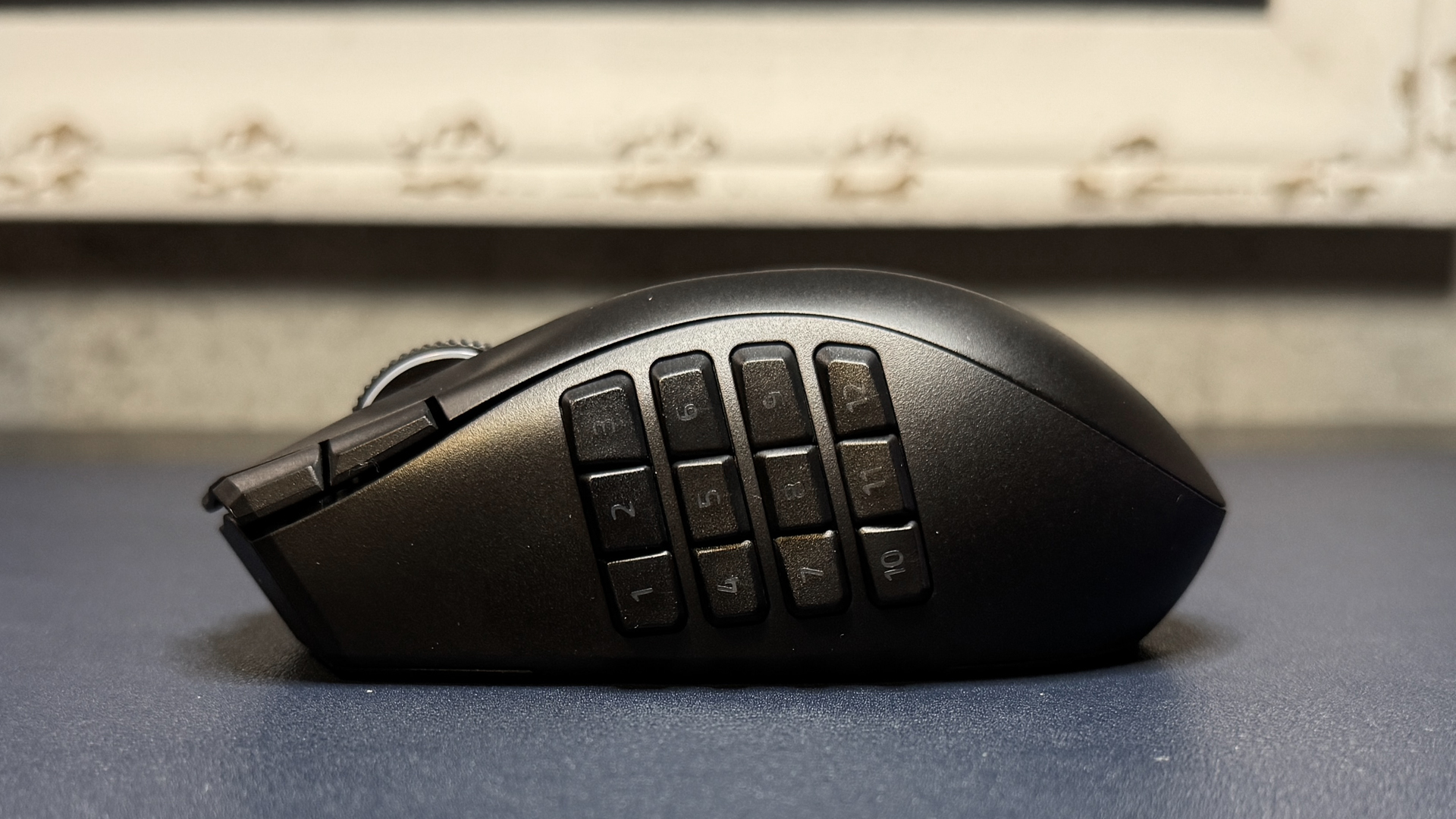
(Image credit: Tom’s Hardware)
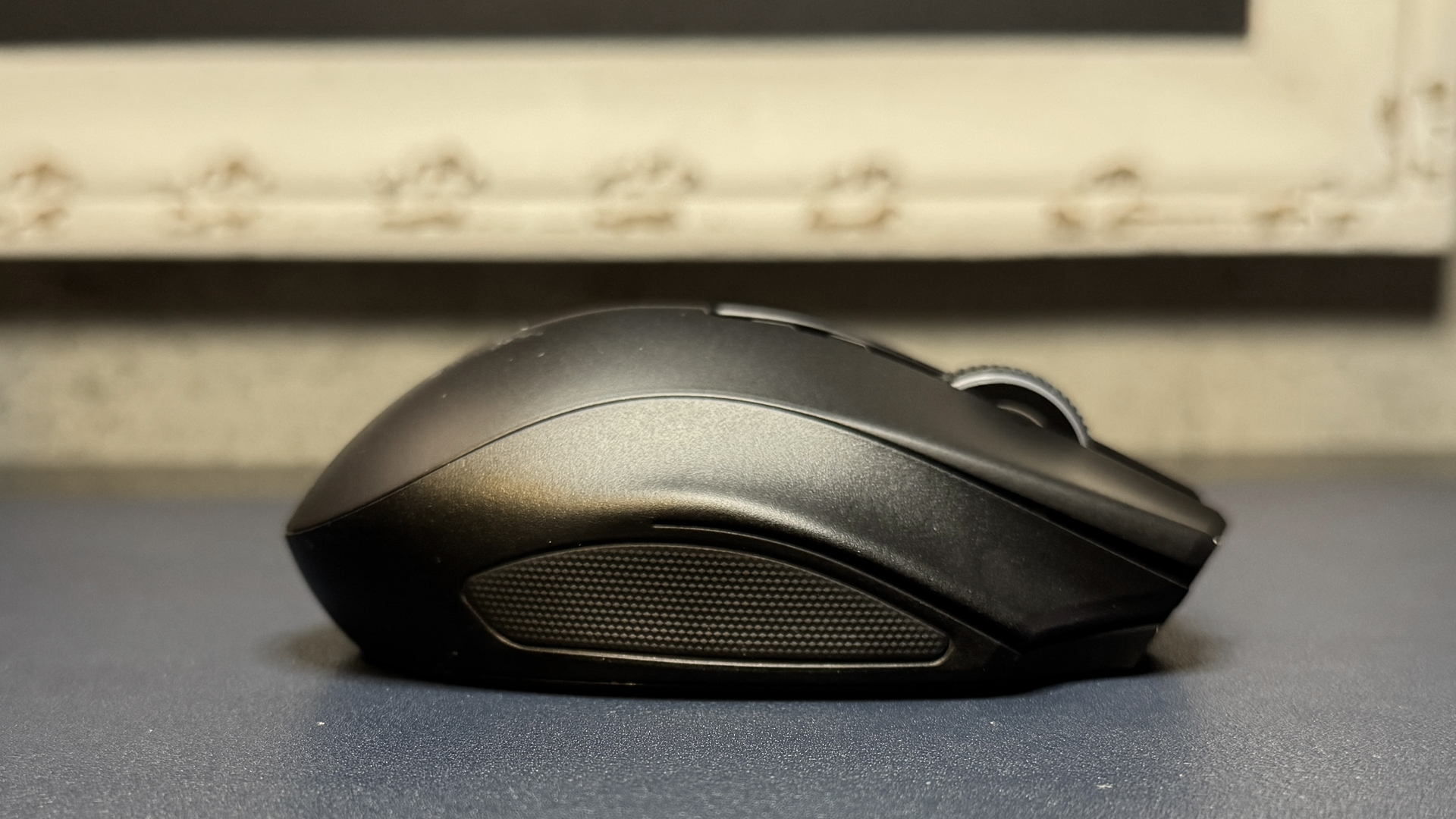
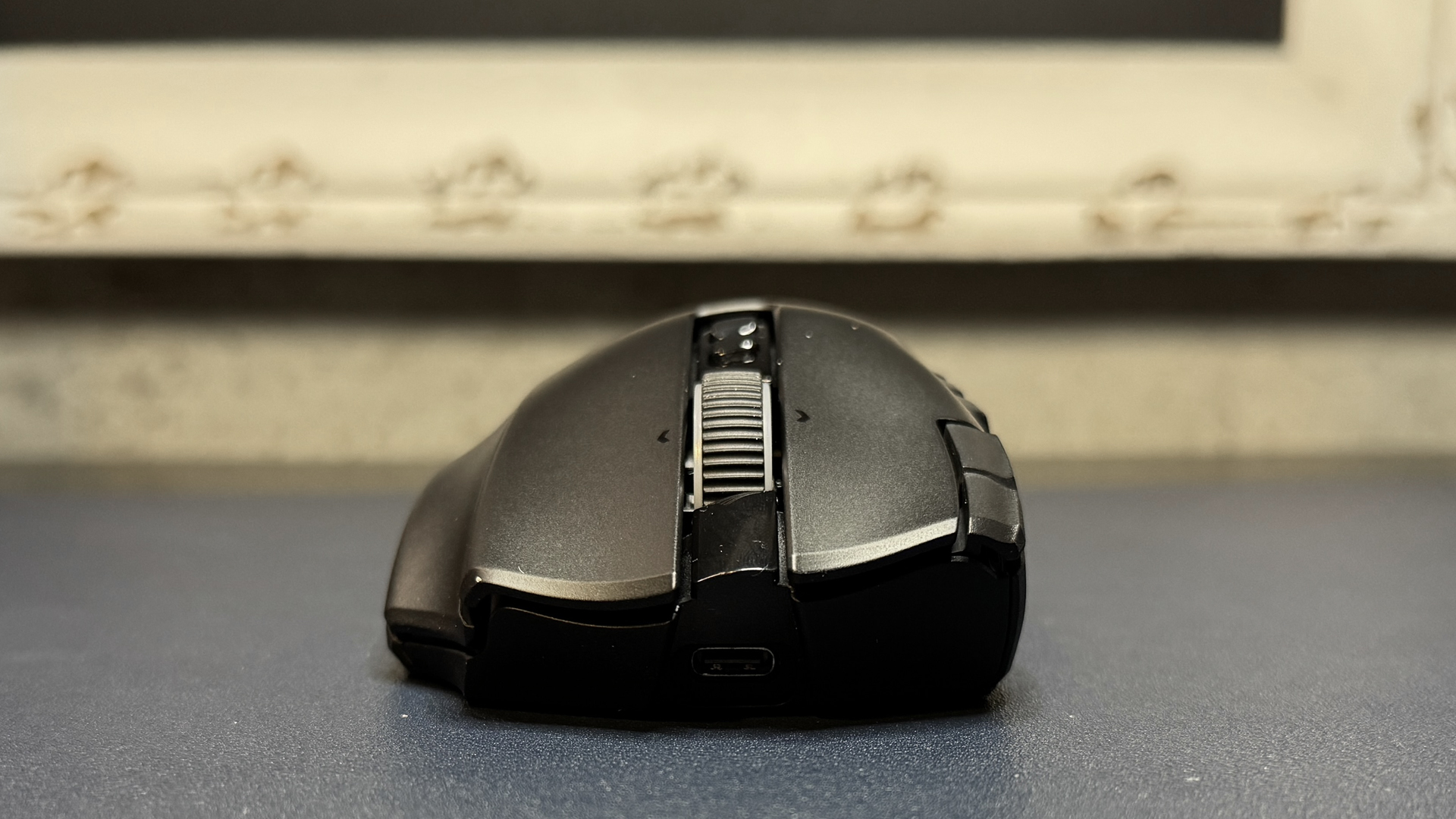
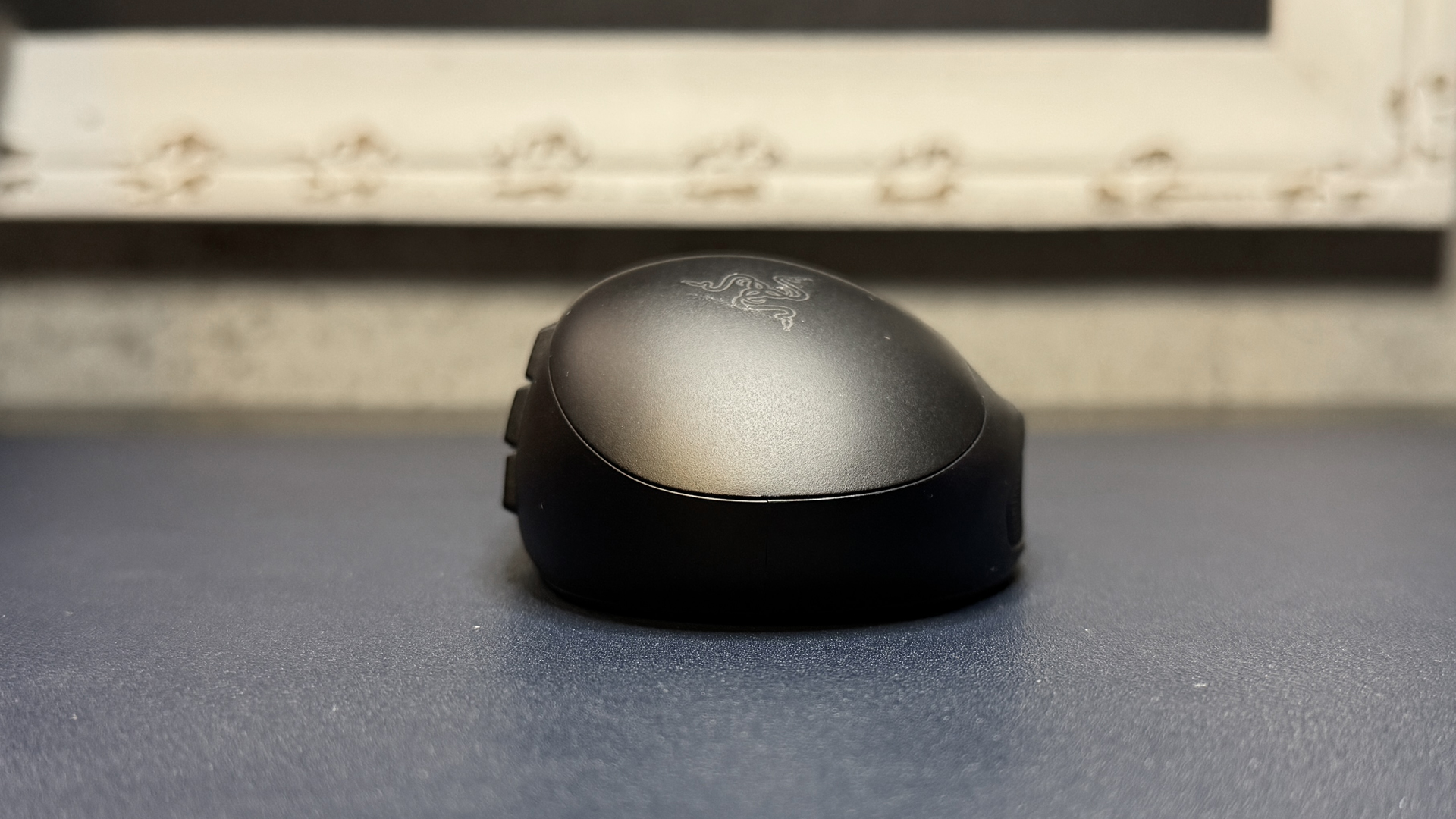
The mouse weighs slightly less than its predecessor: 3.9 ounces (112g) without the side plate or cable attached; the side plates weigh 20g (12-button), 17g (6-button), and 15g (2-button). The Naga V2 Pro weighed 134g regardless of the side plate. Its side plates — which are the same 12-button, 6-button, and 2-button layouts as the side plates from the Naga V2 Pro — now feature more durable double-shot molded keycaps, so they should last longer and the legends should remain crisp and readable throughout the mouse’s lifetime (not that anyone is really looking at the legends on their mouse buttons).
The mouse has three buttons the Naga V2 Pro doesn’t have — in addition to its primary left/right buttons, tilt wheel, two buttons above the tilt wheel, and profile switch on the bottom. There are now two edge buttons on the left side of the left mouse button (set by default to scroll up and down through DPI steps) and the ring finger rest has also been turned into a button (set by default to activate Razer’s HyperShift for multi-layer inputs). I didn’t have any problems with accidentally pressing the ring finger rest button, but there is a locking switch that lets you quickly disable it (it actually stops it from clicking at all, which is nice) if you do have issues.
(Image credit: Tom’s Hardware)
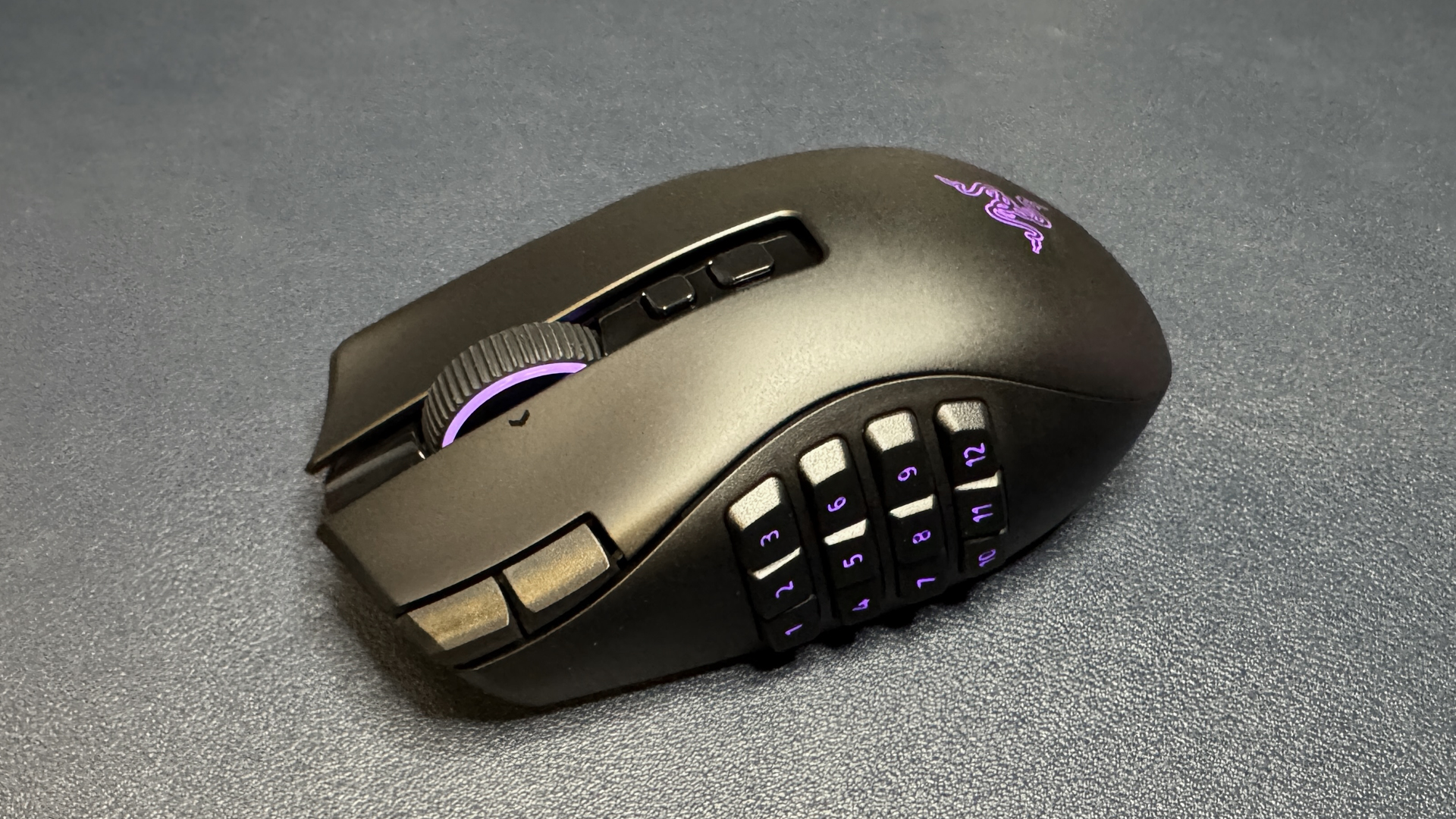
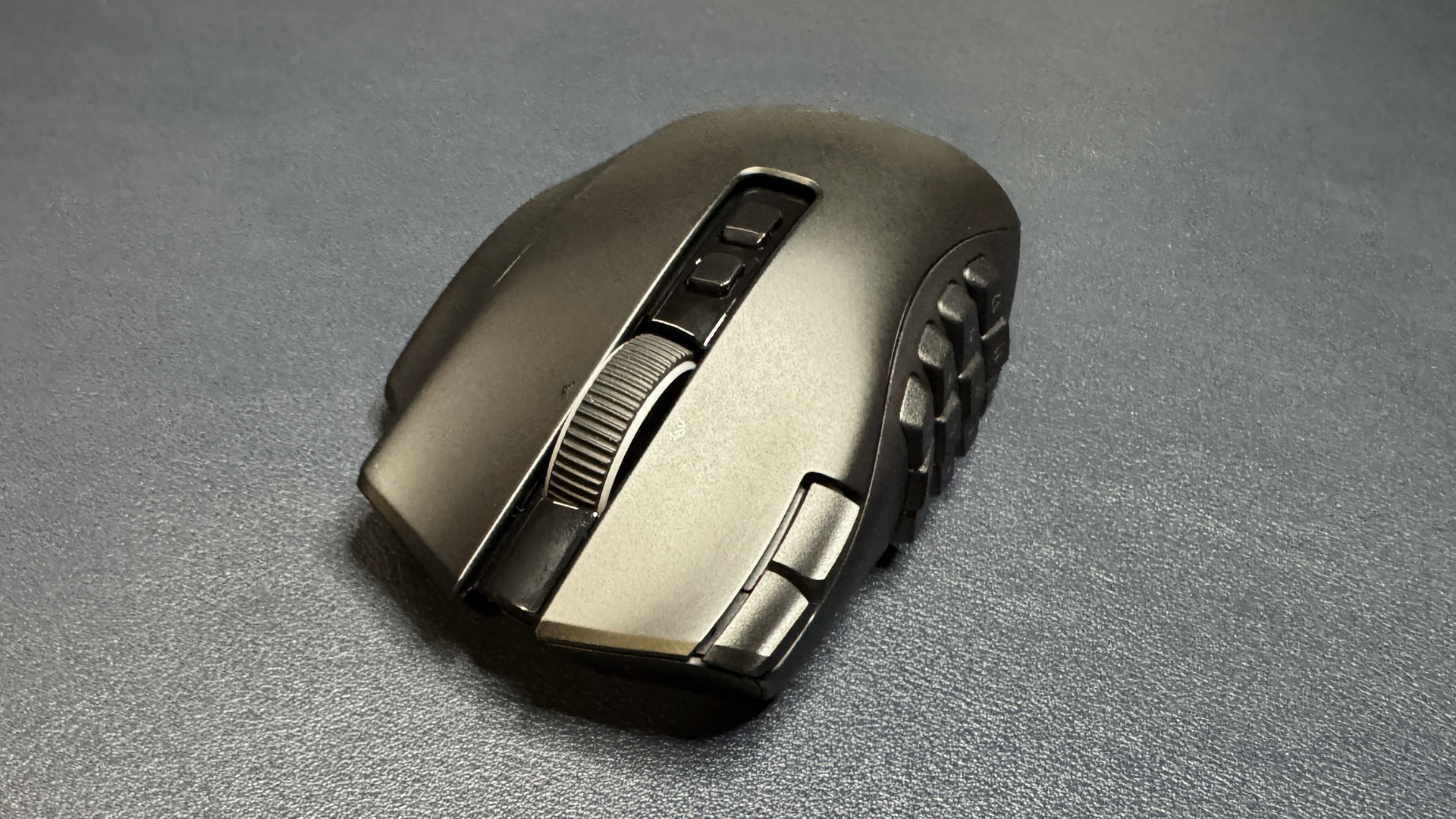
The Naga V3 Pro has a multi-mode tilt wheel with three distinct modes: tactile, free-spin, and precision tactile. The scroll modes can be toggled off, but they aren’t fully configurable like the customizable scroll feature in the Naga V2 Pro. This seems fine, though — the customizable scroll feature in the Naga V2 Pro seemed like overkill to implement with very minor benefits, and I prefer just a few distinct modes to something that you can fully customize.
That said, I kind of wish the distinct modes had been slightly better implemented, as I found the free scroll to be especially over-sensitive — even just resting my finger next to the scroll wheel often caused it to activate. There’s a setting in Synapse 4 that automatically switches over to free scroll mode when you’re scrolling fast enough, but I didn’t like this because there’s an audible click every time it switches. The button directly next to the wheel is set to move through scroll modes by default, while the button above that is set to open up Razer’s AI Prompt Master.
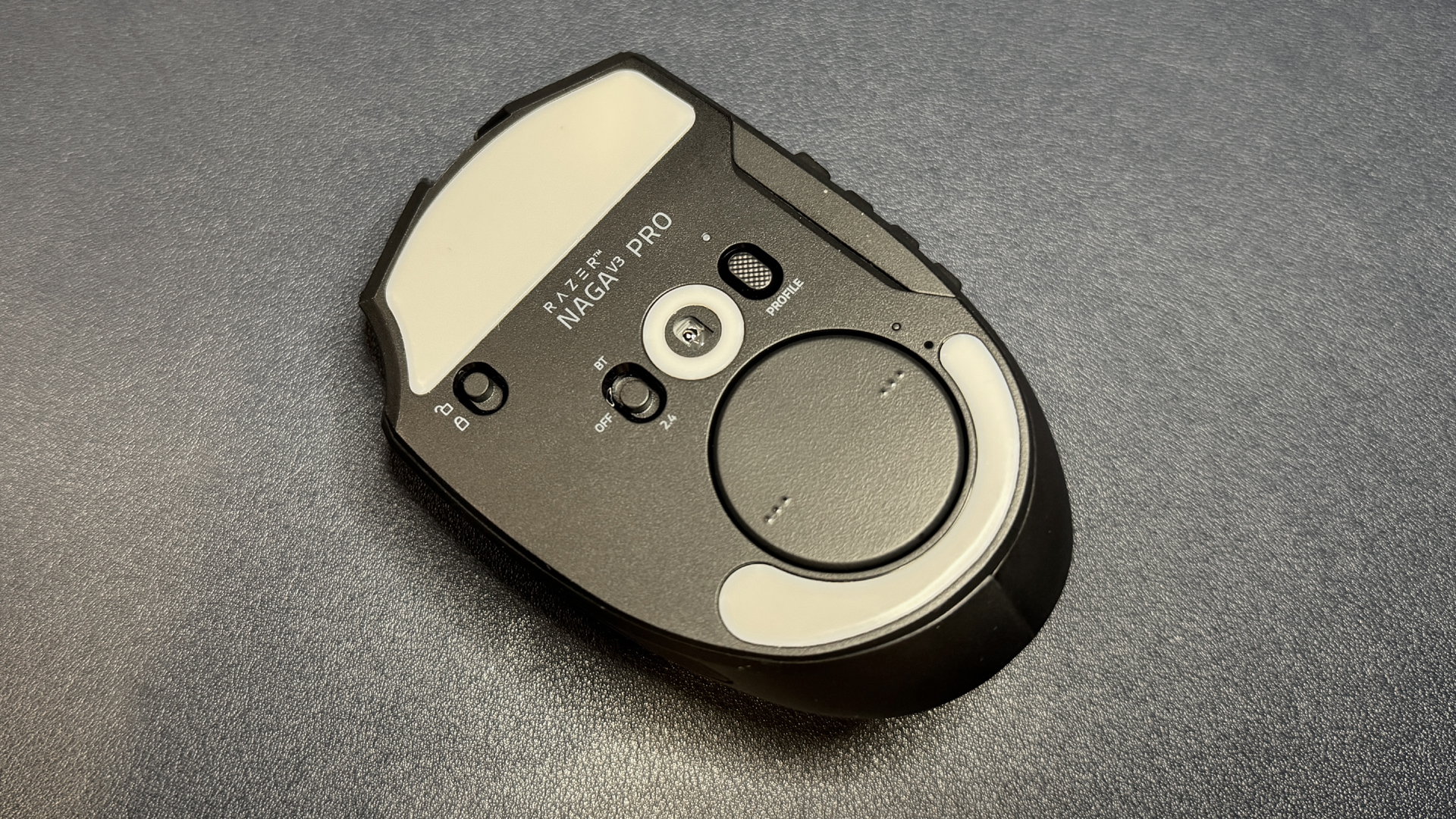
On the bottom of the mouse, you’ll find a power switch, a programmable profile switch button, and the ring finger rest lock, as well as PTFE mouse feet and a dummy mouse puck that can be swapped in with charging pucks from Razer accessories.
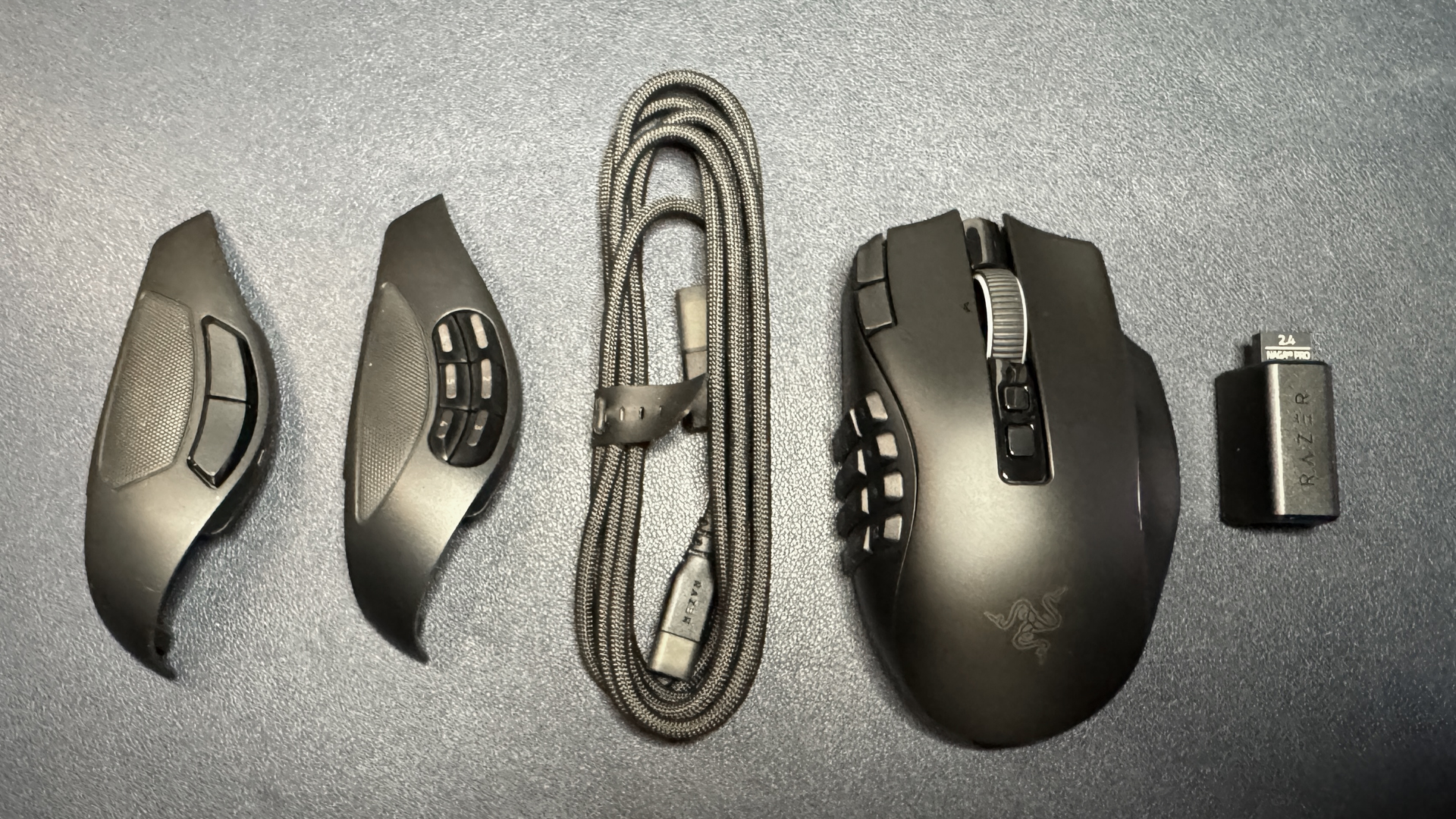
In the box, the Naga V3 Pro comes with a 6-foot (1.8m) braided USB-C to USB-A cable, three interchangeable side plates, a USB-A dongle, and a USB-A to USB-C adapter. The cable is braided but it’s fairly stiff — it’s definitely not flexible or drag-free, like Razer’s HyperFlux cables it usually bundles with its mice. You can use it as a mouse cable, but you probably won’t want to.
Specs
Sensor Model | Razer Focus Pro 50K Gen-3 |
Max Sensitivity | 50,000 DPI |
Max Speed (IPS) | 930 IPS |
Max Acceleration | 90 Gs |
Polling Rates | Up to 8,000 Hz* |
Programmable Buttons | Up to 23 |
LED Zones | 3 |
Cable | 6ft / 1.8m, detachable braided USB-C to USB-A |
Connectivity | 2.4GHz wireless, Bluetooth, wired (USB-C) |
Measurements (L x W x H) | 4.7 x 2.97 x 1.72 inches / 119.5 x 75.5 x 43.5 mm |
Weight (excluding cable) | 3.9oz / 112g without side plate; side plates weigh 20g (12-button) / 17g (6-button) / 15g (2-button) |
MSRP / Price at Time of Review | $179.99 |
Release Date | Aug. 11, 2026 |
Performance
The Naga V3 Pro features Razer’s latest Focus Pro 50K Gen-4 optical sensor, which has a maximum sensitivity of 50,000 DPI and a maximum speed of 930 IPS, and can handle up to 90 G’s of force. These are kind of crazy specs for a mouse considering most people won’t use a DPI above 3,200 or so — what you need to know is that it’s a great sensor that tracks across a variety of surfaces with excellent accuracy. It’s speedy, too, though this is not the kind of mouse most people will be moving around lightning fast and picking up, as it’s more than twice the weight of ultra-lightweight mice such as Razer’s DeathAdder V4 Pro.
The mouse also features Razer’s Gen-4 optical mouse switches, which are rated for up to 100 million clicks and offer crisp, tactile feedback. The feedback does feel slightly crisper and more deliberate than the switches in the Naga V2 Pro, but it’s not a very significant difference and you definitely can’t tell unless you’re using both side-by-side. Still, at 100 million clicks they should last as long as the mouse does.
These switches are only in the primary mouse buttons, not the side panel buttons — though the side panel buttons still felt fairly crisp and gave nice tactile feedback. The only buttons I didn’t love on the Naga V3 Pro were the edge buttons on the left side of the left mouse button — they were a little too far to the left to be comfortable, and they had a very soft, mushy, lackluster click.
The Naga V3 Pro ships with a 1,000 Hz polling rate and a 1,000 Hz polling rate is the highest you’re going to get unless you make a separate purchase. The mouse is capable of getting up to an 8,000 Hz polling rate, but you’ll need to purchase either Razer’s Mouse Dock Pro or its HyperPolling Wireless Dongle in order to achieve polling rates higher than 1,000 Hz.
Features and Software
The Naga V3 Pro is programmable via Razer Synapse 4, and you’ll almost certainly want to do some customizing since the default settings have the side panel buttons programmed to numbers (except for the two-button side panel, which is MB4 / MB5). Luckily Synapse 4 didn’t give me too much trouble with calibration or bringing my Naga V2 Pro settings over to the Naga V3 Pro.
Synapse 4 lets you remap buttons, customize the tilt wheel, and adjust settings such as DPI steps and polling rate. It features a built-in automatic mouse calibration tool that lets you match your current mouse’s DPI (this worked flawlessly for me, but I was matching the Naga V3 Pro to the Naga V2 Pro), as well as some surface calibration settings you can play with. You can also customize the mouse’s RGB lighting zones, of which there are three — tilt wheel, side panel, and palm rest logo.
Wireless Experience and Battery Life
The Naga V3 Pro has 3 forms of connectivity — 2.4GHz wireless, Bluetooth, and wired (via USB-C). Razer rates its battery life at up to 155 hours over its 2.4GHz wireless connection, which is pretty solid for a wireless mouse with so much going on — though this will of course vary depending on your polling rate and lighting settings. It’s compatible with Razer’s HyperFlux V2 Wireless charging mouse pad, however, which makes its battery life technically endless.
Bottom Line
The Naga V3 Pro is a solid update to the Naga V2 Pro, which I’ve been using for (literally) years. It looks and feels almost identical to the Naga V2 Pro, which I appreciate — the Naga V2 Pro is a very comfortable, if not particularly speed-optimized, gaming mouse — and it’s got some nice upgrades in the sensor, switches, and buttons.
These days, the market is mostly dominated by stripped-down, ultra-lightweight eSports-oriented mice, and so it’s nice to see that there’s still a place for MMO-oriented mice with buttons in the double digits. The Naga V3 Pro isn’t the only mouse with a 12-button side panel, but there isn’t a ton of competition — we weren’t wowed by SteelSeries’ Aerox 9 Wireless, and Corsair’s Scimitar Elite SE Wireless has an uncomfortably concave side panel (though it does move forward and backward, if that’s something you’re looking for). If you’re looking for a mouse with a ton of buttons — not counting inputs that are duplicated via software — the Naga V3 Pro is now your best bet.
